

OnCue Studio
One place to make your ad ready for every moment.
Your marketers prepare the campaign, your approvers sign it off, your agency gets the tags. No new creative production, no engineering project.
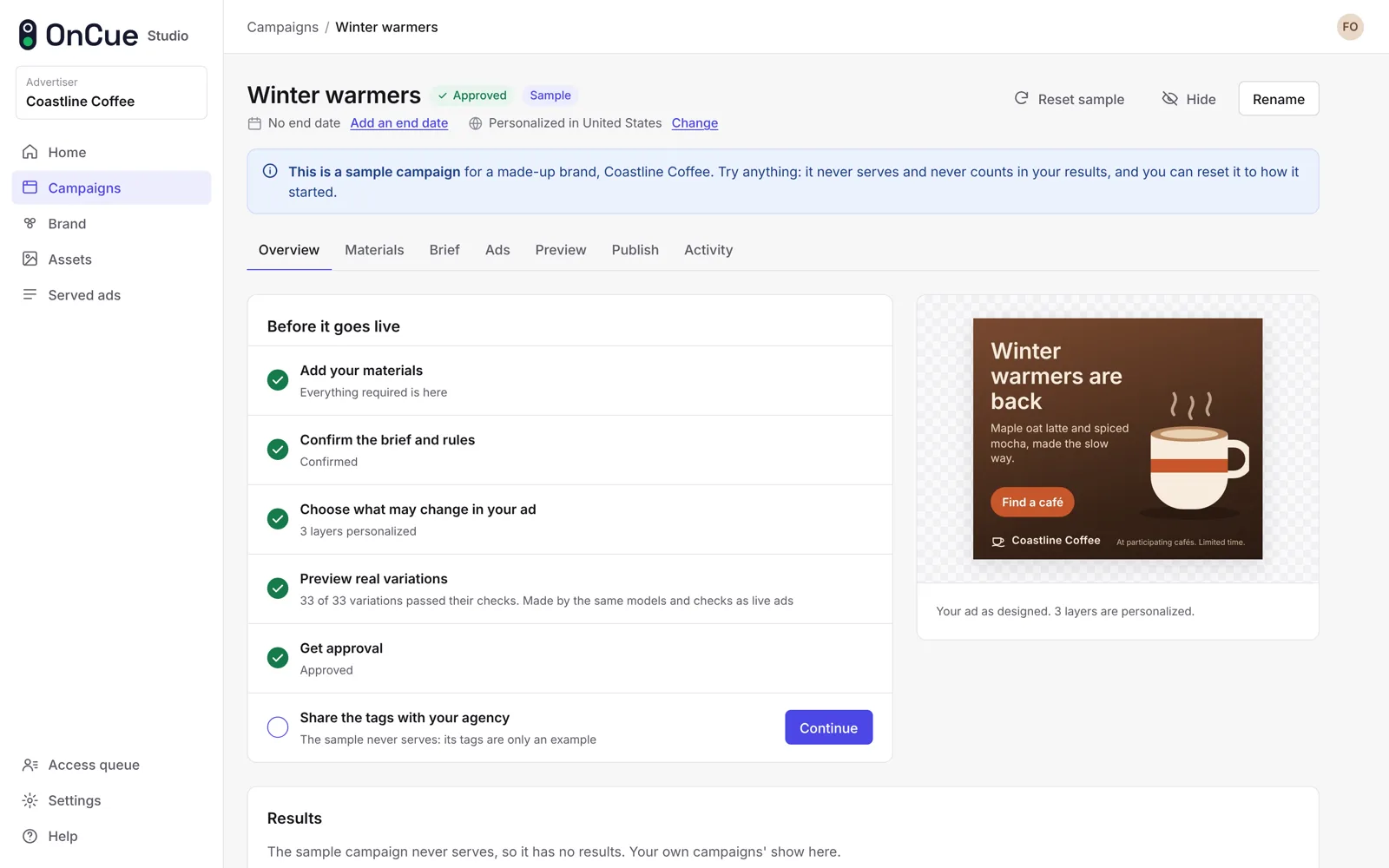
Start from the ad you have
Upload the SVG export of your display ad, or import it from Figma. Add your brand guide and campaign brief as PDFs, and the studio drafts the brief for you to confirm field by field.
- Every account starts with a sample campaign to explore
- A checklist shows what's still missing, and why it matters
- Your team, roles and approvers in one place
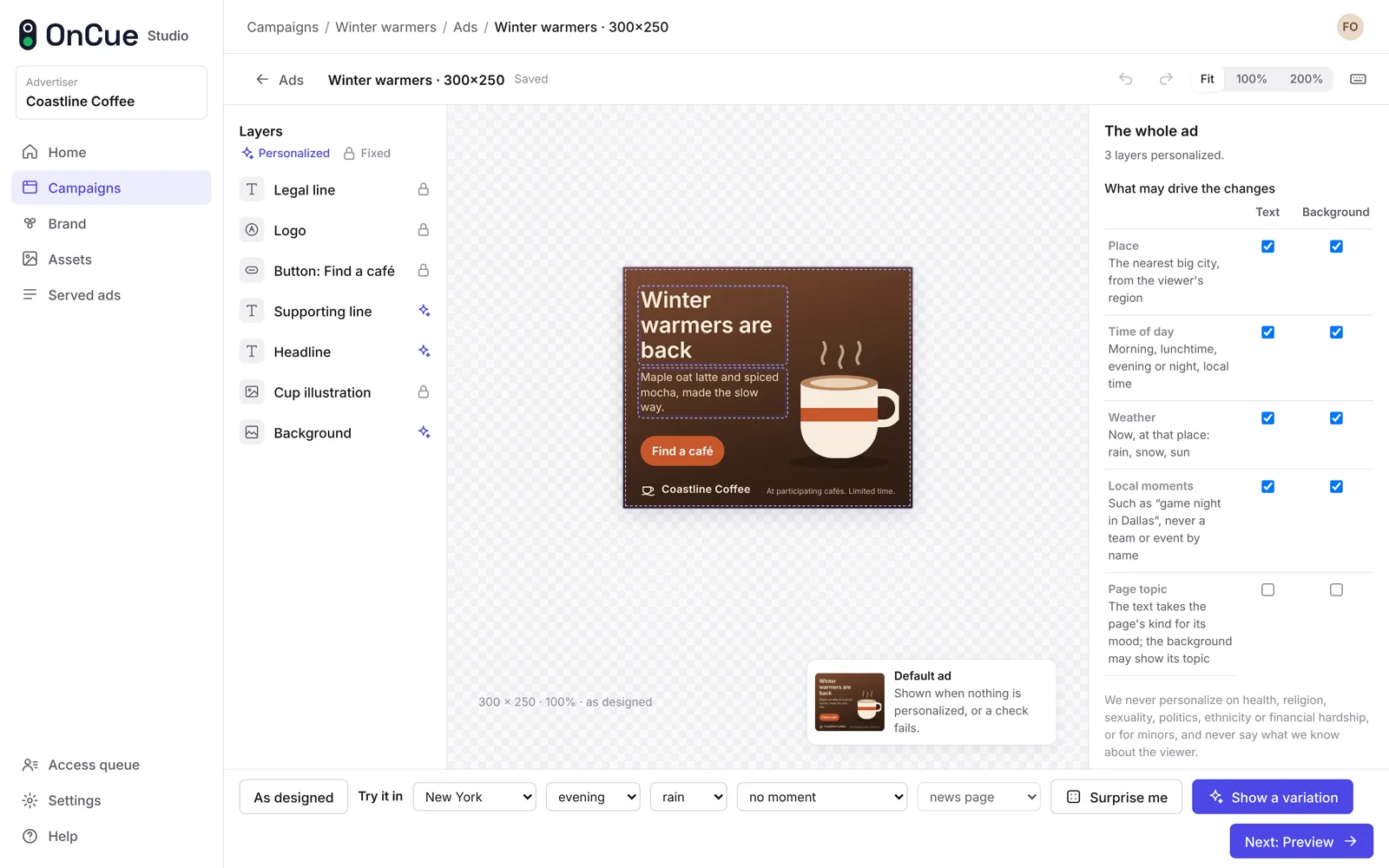
Decide what may change, and what never does
In the editor, mark the headline and background as free to adapt. Your logo, product shots, button and legal lines stay locked, and are never generated.
- Text must fit its box at your minimum size, or the version is dropped
- Choose what drives the copy: weather, time of day, local moments, the page
- Your own tone words and word limits, in the language of your brief
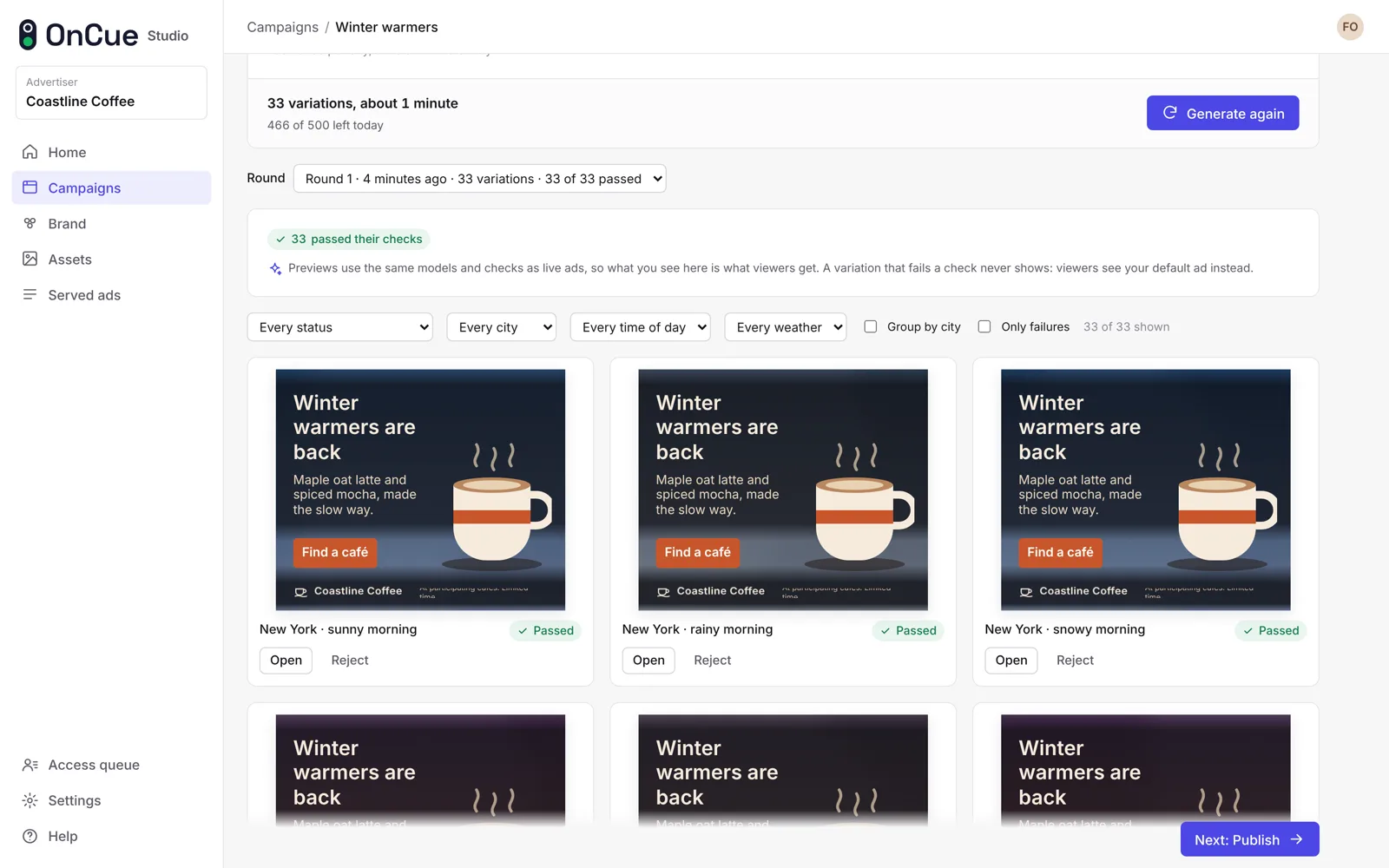
See what people will see
Preview real versions for any city, hour, weather and moment, made by the same pipeline that serves your ads. Anything that fails a check shows you why.
- Browse a grid of places and moments in one view
- Every version passes fit, contrast and brand checks before it counts
- Rejected versions become test cases, so they stay rejected
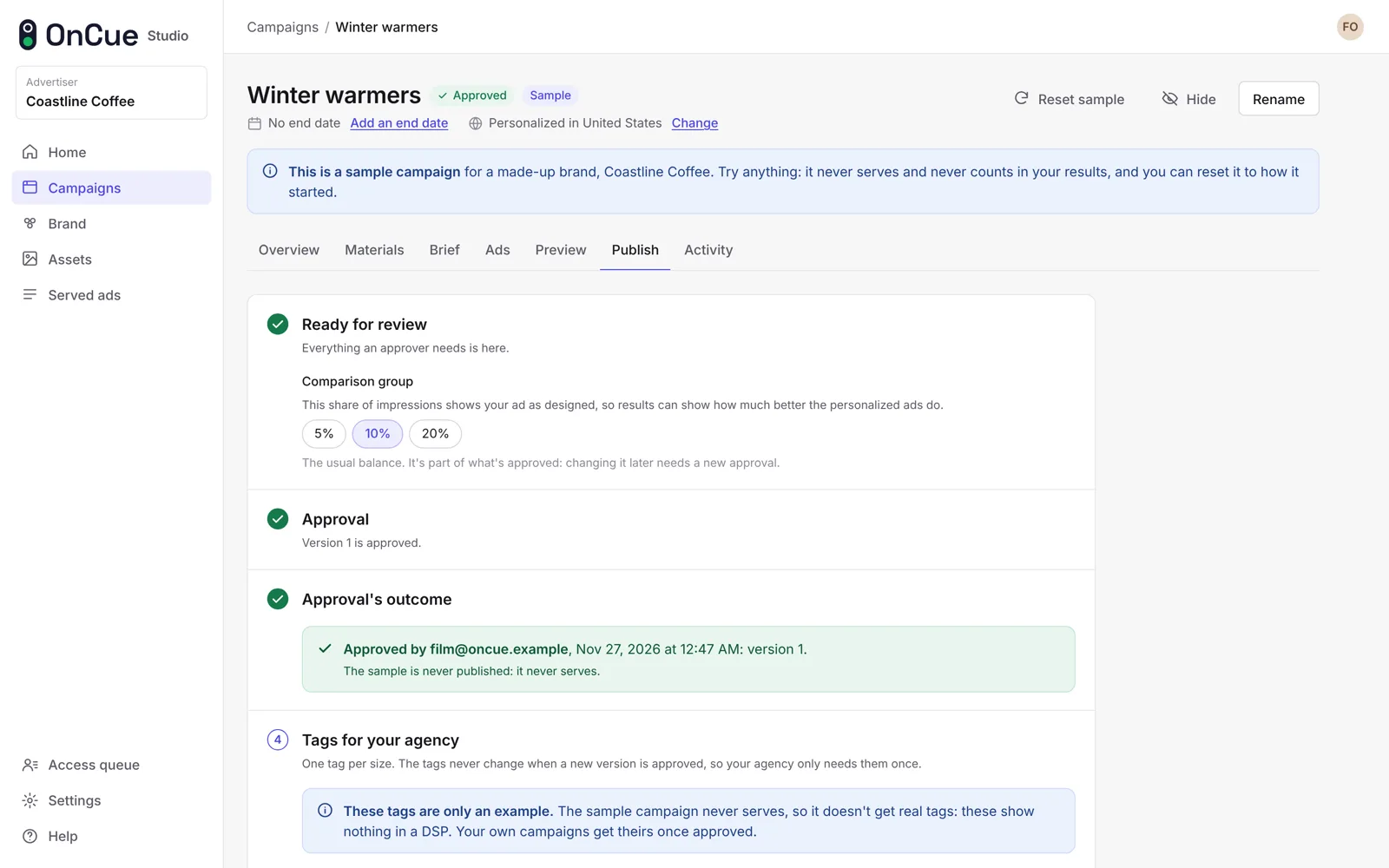
Approve with confidence, from anywhere
Send the campaign for review. Approvers get an email and a screen that works on a phone: the ad as designed, what may change, and a sample of real versions. One tap to approve or ask for changes.
- Versions are frozen while they're in review
- Every decision is recorded, with who made it
- Pause and resume at any time, without new tags
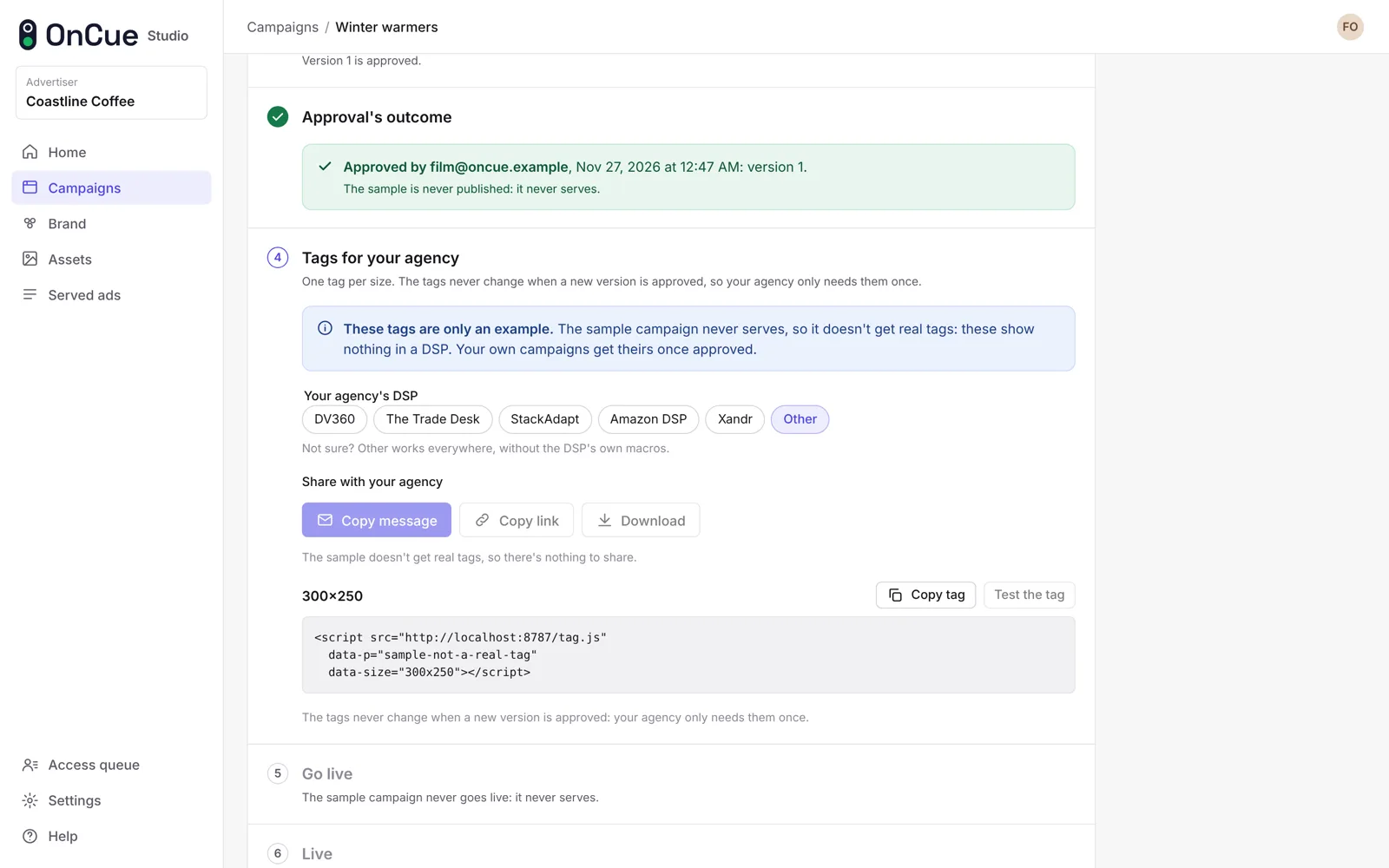
Hand off tags your agency already understands
One tag per size, with each DSP's macros already in place. Share them as an editable message, a read-only link or a zip with a bulk sheet, and test them right in the studio.
- DV360, The Trade Desk, Amazon DSP, Xandr, StackAdapt and others
- A 30-day link for your agency, no account needed
- Test the tag in a sandboxed frame before it ships
Know what it did
Results compare people who saw a personalized version with the comparison group that saw your ad as designed. See the lift and how sure it is, where the ad ran, and every version that was served.
- Lift by week, with a plain-language confidence
- Where it ran, by city and moment
- Every served version, with its record, to download
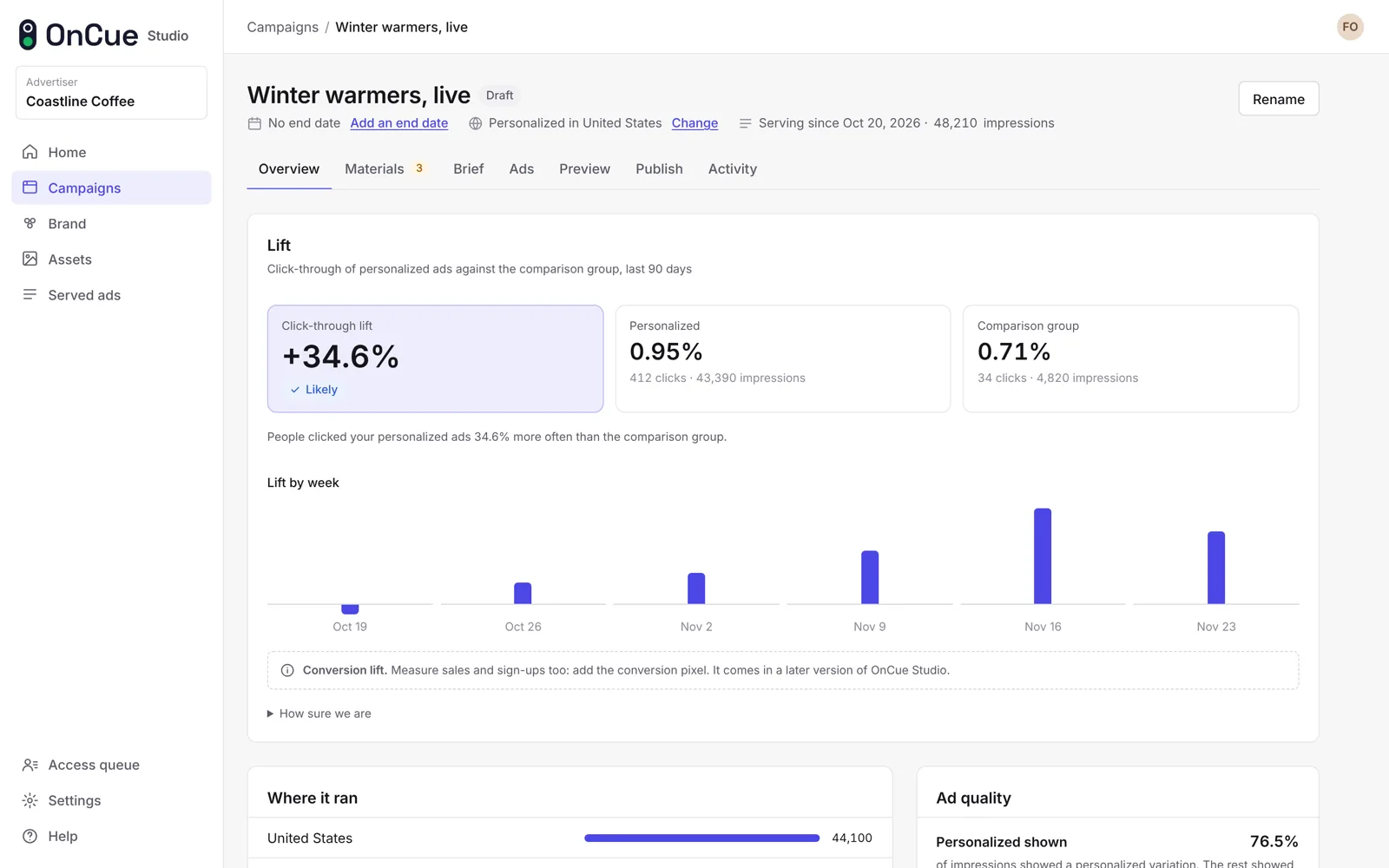
Screens from OnCue Studio, with its sample campaign. Results show sample data.
The film · 2 minutes
From the ad you have to the ad for the moment.
Recorded in OnCue Studio and on our demo publisher page, with development models standing in for the GPUs. Captions on by default.
Try it with your ad.
Bring the display ad you already run. In a 30-minute session, we'll show it changing with the moment, and what you'd control.
Book a demo